
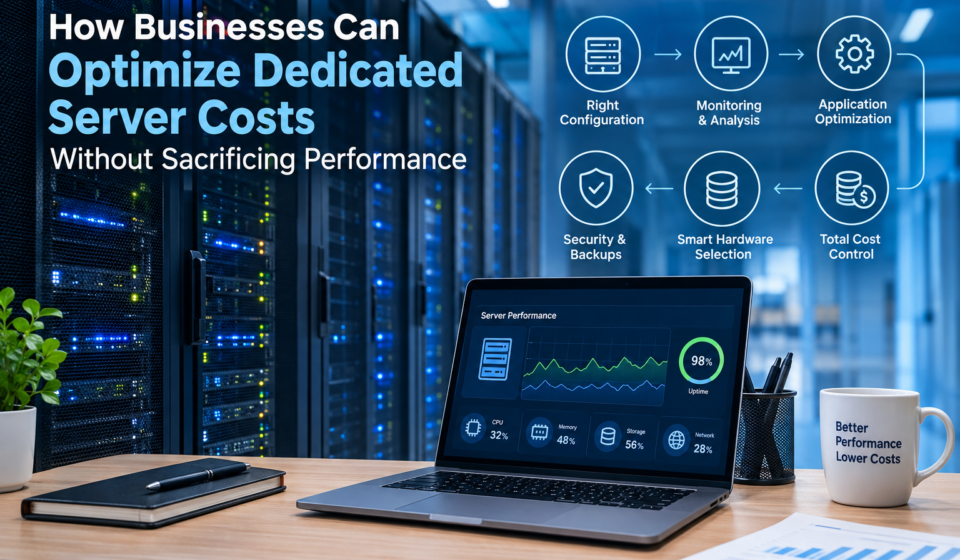

Dedicated servers can provide businesses with the computing resources, configuration flexibility, and control needed to run demanding websites, databases, and business applications. However, the cost of operating a dedicated server extends beyond its monthly rental fee. Hardware selection, software licensing, server administration, network usage, security, and backup requirements all contribute to the total expense.
Choosing a more powerful server does not automatically improve performance. If an application cannot efficiently use the available CPU cores, memory, or storage, a business may pay for resources that deliver little practical benefit. On the other hand, reducing server capacity without understanding the workload can increase response times, disrupt services, and create additional operational costs.
The most effective approach is to measure actual resource requirements, identify performance bottlenecks, and optimize the infrastructure before investing in additional hardware.
This guide explains how businesses can optimize dedicated server costs through resource planning, performance monitoring, application optimization, hardware selection, and long-term capacity management while maintaining appropriate performance, security, and reliability.
Understanding Dedicated Server Costs
A dedicated server is a physical machine allocated to one customer rather than shared among multiple hosting customers. Businesses commonly use dedicated servers for high-traffic websites, e-commerce platforms, resource-intensive applications, databases, and specialized workloads that require greater control over the hosting environment.
Dedicated infrastructure provides flexibility, but that flexibility comes with operational responsibilities. Businesses must consider not only the hardware but also the services and resources needed to operate it effectively.
Several factors influence dedicated server costs:
- CPU and RAM: Processor capabilities and memory capacity affect the workloads a server can handle.
- Storage: SSD and NVMe drives can provide different performance characteristics, capacities, and costs.
- Network connectivity: Port speed, traffic allowances, and additional data-transfer charges can affect the monthly bill.
- Server management: Administration, troubleshooting, monitoring, and maintenance may require paid services or internal staff.
- Software licensing: Operating systems, database software, and control panels may involve recurring charges.
- Security and backups: Monitoring, backup storage, recovery arrangements, and security tools contribute to operating expenses.
Businesses should evaluate these expenses together instead of selecting a server based solely on its advertised rental price.
Understanding the differences between hosting environments can also help organizations avoid unnecessary spending. Our complete guide to web hosting explains the main hosting types and the factors that influence hosting decisions.
1. Match Server Specifications to Actual Workloads
The first step toward reducing dedicated server expenses is to determine what the application actually needs.
Different workloads place different demands on server hardware. A content website serving cached pages may have modest CPU requirements, while an application performing complex calculations may need more processing capacity. A database handling frequent transactions may depend heavily on memory and storage latency.
Selecting hardware without understanding these differences can result in an unbalanced configuration.
Start by evaluating four major resource categories:
CPU: Examine processor utilization, concurrent workloads, and whether applications benefit from additional cores or stronger per-core performance.
RAM: Measure application memory consumption, database working sets, and signs of memory pressure. Insufficient memory can cause swapping, which may increase response times.
Storage: Assess capacity, read/write latency, input/output operations per second (IOPS), and expected data growth.
Network: Review traffic volume, peak throughput, connection patterns, and provider-imposed bandwidth limits.
Resource requirements should be evaluated during both normal and busy periods. Average CPU usage alone, for example, may hide brief periods of saturation that coincide with slow page loads or failed requests.
Businesses should also account for operating-system requirements, background services, monitoring tools, and reasonable capacity headroom. The objective is to select a configuration that supports the real workload with sufficient room for expected growth, not simply the cheapest or most powerful available machine.
2. Prevent Over-Provisioning Without Creating Bottlenecks
Over-provisioning occurs when a server has considerably more resources than its workload requires. Under-provisioning happens when available capacity cannot adequately support demand.
Both situations can increase the total cost of operating a website or application.
An oversized server may consume unnecessary budget through a higher rental fee. An undersized server may cause slow responses, resource exhaustion, failed transactions, and emergency upgrades.
Consider a business that rents a server with substantial CPU and memory capacity but consistently records low utilization, including during its busiest periods. If its application remains responsive and the monitoring data reflects representative workloads, the business could investigate whether a smaller configuration would deliver equivalent results.
Now consider an online store that experiences slow checkout processing during sales campaigns. If CPU utilization rises sharply alongside response times, the server may have a processing bottleneck. However, if CPU usage remains low while database queries become slower, upgrading the processor may not solve the underlying problem.
Before reducing or increasing server capacity:
- Review historical resource usage.
- Identify when performance deteriorates.
- Correlate application response times with system metrics.
- Determine the underlying bottleneck.
- Test the proposed change under representative workloads.
This evidence-based approach helps businesses avoid paying for unnecessary capacity while protecting performance where it matters.
3. Use Server Monitoring to Make Better Cost Decisions
Monitoring is one of the most valuable tools for controlling infrastructure expenses. It provides evidence about how a server behaves over time and helps administrators distinguish genuine capacity shortages from software inefficiencies.
Useful metrics include CPU utilization, load average, available memory, swap activity, disk latency, storage utilization, network throughput, HTTP response times, and application error rates.
Monitoring tools can collect these measurements and present them through dashboards, historical reports, and alerts. For example, Grafana’s Linux server monitoring documentation describes metrics covering CPU, memory, disk I/O, network traffic, and filesystem usage.
However, no single metric should determine a purchasing decision.
High CPU utilization does not always mean a server needs a larger processor. The workload might contain inefficient queries, unnecessary background tasks, or poorly optimized application code. Similarly, memory usage can include cache that improves performance, so looking only at the percentage of RAM marked as used may produce misleading conclusions.
Businesses should correlate system metrics with application behavior.
For example:
- High CPU utilization alongside rising response times may indicate a processing bottleneck.
- Increasing swap activity and memory pressure may indicate insufficient RAM or excessive application memory consumption.
- High disk latency during database operations may indicate a storage bottleneck.
- Low CPU usage combined with slow database responses may point toward query inefficiency, locking, or another database constraint.
- Rising network utilization alongside delivery delays may justify investigating network capacity or content delivery options.
Configure alerts for sustained problems, low disk space, failed backups, and unusual error rates. Review trends regularly rather than making decisions from isolated measurements.
4. Optimize Applications Before Purchasing More Hardware
When an application becomes slow, purchasing a larger server may appear to be the easiest solution. Yet software inefficiencies can consume additional resources even when the existing hardware is adequate.
Optimizing application behavior may improve performance and delay the need for an upgrade.
For websites and content management systems, useful measures include:
- Enable appropriate page and object caching.
- Compress images and serve appropriately sized files.
- Remove unnecessary plugins, extensions, and background tasks.
- Optimize database queries and add appropriate indexes.
- Reduce repeated requests and inefficient application operations.
- Review scheduled jobs that compete with customer-facing workloads.
- Keep software and dependencies maintained through a tested update process.
Database optimization deserves particular attention. An inefficient query that repeatedly scans a large table can consume considerable CPU and disk resources. Reviewing query execution plans, adding suitable indexes, and eliminating unnecessary database operations can sometimes improve response times without changing the server configuration.
Caching can also reduce repeated work. If a website frequently serves the same content, caching may reduce the number of requests that require database access or application processing.
However, caching must be configured carefully. Personalized pages, account information, shopping carts, and frequently updated records may require different caching rules to prevent stale or incorrectly shared content.
After making changes, measure performance again. Compare response times, error rates, throughput, and resource consumption under similar conditions. This helps establish whether an optimization actually improved efficiency.
5. Choose CPU, Memory, and Storage for the Right Reasons
Hardware selection should reflect the characteristics of the workload rather than specifications alone.
A processor with more cores can benefit applications that execute many tasks concurrently. It may offer little improvement to software limited by a single processing thread or an inefficient database operation.
Memory requirements also depend on application behavior. Databases may benefit from sufficient RAM to retain frequently accessed data in memory, while other workloads need memory for concurrent application processes. Too little memory can lead to swapping and unpredictable latency; excessive unused memory may represent unnecessary expenditure.
Storage requires similar consideration.
SSD and NVMe storage can improve performance for workloads that perform frequent reads and writes. However, the appropriate choice depends on actual storage latency, I/O demand, capacity, durability requirements, and budget.
Businesses should evaluate:
- Sustained read/write performance.
- Storage latency under realistic workloads.
- Required usable capacity.
- Expected database and file growth.
- Redundancy and recovery requirements.
- Upgrade options and replacement costs.
A balanced configuration often provides better value than an expensive machine with excessive CPU capacity but insufficient memory or slow storage for the intended workload.
6. Compare Managed and Unmanaged Dedicated Hosting
The management model affects both the monthly hosting price and the cost of operating the server.
Managed dedicated hosting may include services such as operating-system maintenance, technical support, monitoring, security configuration, and troubleshooting. The exact scope varies by provider, so businesses should confirm what is included.
Unmanaged hosting generally places more responsibility on the customer. It may suit organizations with experienced system administrators who can handle configuration, updates, incident response, and routine maintenance.
A lower rental price does not necessarily mean lower total operating costs.
For example, an unmanaged server might require paid administration or substantial internal staff time. A managed plan may have a higher monthly charge but include services that the business would otherwise need to purchase separately.
When comparing plans, ask:
- Who applies operating-system and security updates?
- Is emergency troubleshooting included?
- What support hours and response commitments apply?
- Are monitoring and backup services included?
- Who is responsible for restoring a failed service?
- Which tasks incur additional charges?
Businesses should compare the actual service scope and operational responsibilities instead of assuming all managed or unmanaged servers provide equivalent support.
7. Control Network and Bandwidth Expenses
Network costs can become significant for websites and applications that serve large amounts of data.
Hosting providers may offer different combinations of monthly traffic allowances, network port speeds, and additional usage charges. Businesses should understand these terms before selecting a plan.
Media websites, download platforms, and applications that deliver large files may generate substantial outbound traffic. Image compression, file optimization, caching, and content delivery networks (CDNs) can reduce unnecessary transfers and improve delivery efficiency.
A CDN can serve cached content from locations closer to visitors instead of sending every request to the origin server. This may reduce origin workload and improve performance for geographically distributed audiences.
Nevertheless, CDN services may introduce additional charges, and cache misses still require requests to reach the origin. Businesses should compare the CDN fee, origin traffic, and expected performance improvements rather than assuming a CDN always reduces total costs.
It is also important to distinguish monthly data transfer from network throughput. A plan may include a generous traffic allowance but still have limitations affecting the rate at which data can be transferred.
Review bandwidth policies, port speeds, overage fees, and network restrictions against actual usage patterns.
8. Plan Capacity Upgrades Around Measurable Thresholds
Businesses need sufficient capacity for growth, but purchasing additional resources too early can waste budget.
A more effective approach is to establish capacity thresholds based on monitoring data and business requirements.
For example, an organization might investigate a recurring performance issue when CPU utilization remains high during normal peak periods, memory pressure becomes persistent, or application response times exceed an agreed service target.
These are investigation triggers rather than universal upgrade rules. The correct thresholds depend on workload characteristics, application design, and the consequences of performance degradation.
Before upgrading, determine whether the problem can be addressed through application optimization, caching, database tuning, or configuration changes. If the server remains constrained after these measures, additional resources may be justified.
Also consider the provider’s upgrade and migration process. Some servers allow individual components to be upgraded, while others require a migration to a different machine. Migration fees, downtime, compatibility, and testing can affect the overall cost.
Capacity planning should use historical traffic, seasonal demand, planned launches, and realistic growth expectations. This creates a more controlled approach to expansion than waiting for performance problems to force an urgent purchase.
9. Protect Security, Backups, and Service Reliability
Cost optimization should not come at the expense of essential security and recovery measures.
A server with a low rental fee can become expensive if a security incident, hardware failure, or accidental deletion interrupts operations or destroys important data.
Businesses should budget for appropriate security patching, access controls, firewall configuration, monitoring, and backup protection.
Backups should be assessed according to their independence, retention, access protection, and recovery requirements. A backup stored only on the same physical server may be lost if that server or its storage fails.
Organizations should also test restoration procedures. A backup that cannot be restored successfully provides little practical protection during an incident.
Two useful planning concepts are:
- Recovery Point Objective (RPO): The amount of data loss, measured in time, that the business can tolerate.
- Recovery Time Objective (RTO): The target time within which a service should be restored after disruption.
These objectives help businesses determine how frequently backups should run and how much recovery infrastructure is appropriate.
Not every website requires a complex high-availability environment. The correct level of protection depends on business impact, recovery requirements, and budget. The important point is to make that decision deliberately rather than removing essential safeguards to reduce a monthly bill.
10. Compare Hosting Providers Using Total Cost of Ownership
Businesses should evaluate dedicated server providers based on the full cost and service offered, not just the advertised monthly price.
A useful comparison should include CPU specifications, RAM, storage, network allowances, management services, backup options, security features, licensing, setup fees, renewal pricing, and migration requirements.
Consider a hypothetical comparison between two server plans:
| Cost component | Plan A | Plan B |
|---|---|---|
| Monthly server rental | $120 | $160 |
| Management and monitoring | $40 | Included |
| Backup service | $15 | $10 |
| Monthly total | $175 | $170 |
| Annual total | $2,100 | $2,040 |
Illustrative figures only; these are not actual provider quotations.
In this example, Plan B has a higher rental price but a lower total monthly cost once the listed services are included. The comparison would only be meaningful if both plans met the business’s performance, security, and reliability requirements.
The same method should account for software licensing, administration time, and one-time migration costs where applicable.
Businesses evaluating hosting environments can also review our guide to choosing the right web hosting plan. For smaller projects, the comparison of shared hosting vs. VPS hosting explains other options that may be more appropriate than a dedicated physical server.
For infrastructure-intensive applications, workload requirements deserve particular attention. Our article on server infrastructure for podcast platforms explores another example where delivery patterns and resource requirements influence infrastructure decisions.
11. Calculate the Total Cost of Ownership
Total cost of ownership (TCO) is the combined cost of acquiring, operating, maintaining, and eventually replacing or migrating infrastructure over a defined period.
For dedicated hosting, TCO may include:
- Server rental and setup fees.
- Operating-system and software licenses.
- Management and technical support.
- Backup storage and recovery services.
- Monitoring and security tools.
- Internal administration time.
- Migration, replacement, and planned maintenance.
Businesses should compare configurations over the same period, such as 12 or 36 months, and use realistic assumptions about traffic growth and operational requirements.
Downtime can also create financial consequences through lost transactions, interrupted services, and additional recovery work. Where reliable data is available, these costs should be considered alongside direct hosting expenses.
A lower-cost server is not necessarily the best investment if it repeatedly fails to meet performance requirements. Equally, a premium configuration may be difficult to justify if a less expensive server delivers the same required results.
The best decision is the configuration that satisfies defined performance, security, and availability requirements at an acceptable overall cost.
Practical Checklist for Dedicated Server Cost Optimization
Before purchasing or renewing a dedicated server, businesses should:
- Document application requirements and expected workload.
- Monitor CPU, memory, disk I/O, network usage, and response times.
- Investigate bottlenecks before upgrading hardware.
- Optimize application code, database queries, and caching.
- Compare managed and unmanaged service responsibilities.
- Review bandwidth limits, software licenses, and renewal terms.
- Verify backup integrity and recovery procedures.
- Establish capacity thresholds based on historical usage.
- Compare providers using total cost of ownership.
- Review performance and expenditure regularly.
Following these steps creates a repeatable process for infrastructure planning and reduces reliance on guesswork.
Frequently Asked Questions
How can businesses reduce dedicated server costs without sacrificing performance?
Businesses can reduce costs by matching hardware to measured workloads, optimizing applications and databases, monitoring resource usage, reviewing recurring fees, and comparing providers based on total operating costs. Essential security and recovery measures should remain in place.
Is a cheaper dedicated server always better?
No. A lower-priced server may have different hardware capabilities, network limits, support arrangements, or additional fees. Businesses should compare equivalent configurations and confirm that each option meets their performance requirements.
How often should dedicated server resources be reviewed?
Monitoring should run continuously where practical, with periodic reviews of historical trends and expenses. Monthly reviews can be a useful starting point, while rapidly changing or business-critical workloads may require more frequent assessments.
When should a business upgrade its dedicated server?
An upgrade may be appropriate when persistent resource constraints affect application performance, storage approaches its safe capacity limit, or forecast demand exceeds available capacity. Administrators should identify the bottleneck before purchasing additional resources.
Can application optimization eliminate the need for a larger server?
Sometimes. Caching, query optimization, efficient code, and removal of unnecessary processes can reduce resource consumption. The outcome depends on the workload, so businesses should measure performance before and after making changes.
What is the difference between server cost and total cost of ownership?
Server cost often refers to the rental or purchase price. Total cost of ownership includes the additional expenses required to operate, secure, maintain, monitor, and eventually migrate or replace the infrastructure.
Conclusion
Optimizing dedicated server costs requires a clear understanding of workloads, performance bottlenecks, and operational requirements. Businesses should avoid both excessive hardware purchases and reductions that compromise application performance.
Regular monitoring, application optimization, balanced hardware selection, and evidence-based capacity planning can help organizations make better use of existing resources. Comparing hosting providers through total cost of ownership also reveals expenses that may not be apparent in advertised prices.
Security, backups, maintenance, and recovery planning remain essential parts of a cost-effective infrastructure strategy. By reviewing these factors together, businesses can build a dedicated server environment that delivers the performance they need while keeping spending under control.