


Choosing the right web hosting plan can be confusing, especially when hosting companies advertise dozens of packages with different amounts of storage, bandwidth, CPU resources, RAM, backups, security features, and pricing.
For a new website, it is tempting to choose the cheapest plan available. On the other hand, some website owners pay for expensive hosting resources they may not need for years.
The better approach is to match your web hosting plan to the actual needs of your website.
A personal blog, small business website, online store, news publication, and high-traffic application can all have very different hosting requirements. The right choice depends on your website type, expected traffic, software, performance requirements, security needs, budget, and future growth.
This guide explains how to compare hosting plans and what to look for before you buy.
Quick answer: For a new personal blog or small website, reliable shared hosting is often enough. Growing WordPress websites may benefit from managed or cloud hosting, while high-traffic websites and resource-intensive applications may eventually need VPS, cloud, or dedicated infrastructure.
What Is Web Hosting?
Web hosting is the service that provides the server infrastructure needed to make a website accessible on the internet.
When someone enters your domain name into a browser, the browser requests your website’s files and data from the hosting server. The server processes that request and sends the required content back to the visitor.
A hosting account can contain:
- Website files
- Images and other media
- Databases
- WordPress files
- Email accounts
- Server configuration
- Security tools
- Backups
- Logs and other website data
Your domain name is the address visitors use to reach your website, while web hosting provides the infrastructure where the website itself operates.
If you are completely new to hosting, start with our guide: The Complete Guide to Web Hosting for Beginner. Then return here when you are ready to compare hosting plans.
The First Question: What Type of Website Are You Building?
Before comparing hosting companies, identify what you are actually going to host.
This is one of the easiest ways to avoid buying either too little or too much server capacity.
Personal Blog
A personal blog with relatively low traffic usually does not require an expensive hosting environment.
A basic shared hosting plan can often handle:
- Blog posts
- Images
- A WordPress installation
- Standard plugins
- A small database
- Low to moderate visitor traffic
For a new blog, reliability and ease of management may matter more than having large amounts of unused server resources.
Small Business Website
A business website should place more emphasis on reliability, security, backups, and support.
If the website generates leads, receives customer inquiries, or represents a company online, extended downtime can become more than a technical inconvenience.
Look for:
- HTTPS support
- Regular backups
- Reliable infrastructure
- Security features
- Adequate resources
- Responsive customer support
- An easy upgrade path
Online Store
An e-commerce website can have more demanding requirements because it may handle product catalogs, databases, customer accounts, shopping carts, payment integrations, and order information.
For an online store, consider:
- CPU and RAM availability
- Database performance
- SSL/TLS support
- Backups
- Security controls
- Caching
- Scalability
- Technical support
The cheapest hosting plan is not necessarily the best choice for a store where performance and availability directly affect customers.
News, Media, or High-Traffic Website
A growing publication can have very different requirements from a small personal blog.
Large numbers of simultaneous visitors, image-heavy pages, search traffic, social media spikes, and content-heavy databases can put greater pressure on hosting resources.
A website experiencing these conditions may eventually need:
- More CPU resources
- More RAM
- Better caching
- Content delivery infrastructure
- Cloud hosting
- VPS hosting
- Dedicated resources
You do not necessarily need this infrastructure on day one. What matters is having a realistic upgrade path.
Understand the Different Types of Web Hosting
The major hosting categories serve different purposes.
Shared Hosting
Shared hosting places multiple websites on the same server environment.
It is popular because it is generally inexpensive and easy to manage.
Shared hosting can be suitable for:
- New blogs
- Portfolio websites
- Small business websites
- Personal websites
- Smaller WordPress websites
The main limitation is that server resources are shared among multiple customers.
For a new website with modest traffic, however, shared hosting can be a perfectly reasonable starting point.
VPS Hosting
A Virtual Private Server (VPS) provides a more isolated environment and generally offers greater control over server resources and configuration.
VPS hosting can be useful for:
- Growing websites
- Developers
- Agencies
- Custom applications
- Resource-intensive websites
- Websites that have outgrown basic shared hosting
An unmanaged VPS can require significantly more technical knowledge than shared hosting.
Cloud Hosting
Cloud hosting uses infrastructure designed to provide resources through a broader cloud environment.
Depending on the provider and architecture, cloud hosting can offer greater flexibility and scalability than traditional hosting.
It may be appropriate for websites that experience:
- Variable traffic
- Rapid growth
- Traffic spikes
- Higher resource requirements
The term “cloud hosting” is used differently by different hosting companies, so compare the actual resources and architecture instead of relying on the label alone.
Dedicated Hosting
With dedicated hosting, a customer receives an entire physical server rather than sharing the machine with other customers.
This can provide substantial control and resources, but it usually costs considerably more.
Dedicated hosting is generally more appropriate for websites or applications with significant resource requirements.
For most new blogs and small websites, it is unnecessary.
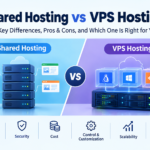
When comparing hosting options, it is also important to understand the difference between shared hosting and VPS hosting. Shared hosting is generally more affordable and suitable for beginners, while a Virtual Private Server (VPS) offers a more isolated environment, greater control, and dedicated resource allocations depending on the provider. If you are unsure which option fits your website, read our detailed guide on Shared Hosting vs. VPS Hosting to understand their differences, advantages, limitations, and ideal use cases before choosing a hosting plan.
How Much Storage Does Your Website Need?
Storage refers to the amount of space available for your website’s files and data.
This can include:
- WordPress core files
- Themes
- Plugins
- Images
- Videos
- Databases
- Documents
- Email data
A text-heavy blog with optimized images may use relatively little storage. A website containing thousands of high-resolution photographs, videos, or downloadable files can require substantially more.
However, storage should not be the only specification you compare.
A hosting package advertising hundreds of gigabytes of storage is not automatically more powerful than a package offering less storage.
Storage tells you how much data you can keep. It does not tell you how quickly the server can process requests.
Pay Attention to CPU and RAM
CPU and RAM can become important as your website grows.
Your hosting environment has to process requests whenever visitors load pages, search databases, execute PHP code, run plugins, or perform other operations.
This is particularly relevant for WordPress websites using:
- Large plugins
- WooCommerce
- Membership systems
- Complex themes
- Large databases
- Dynamic functionality
- High visitor volumes
This is why comparing hosting plans purely by storage and bandwidth can produce a misleading result.
A smaller plan with better processing resources can sometimes be more useful than a plan with enormous storage but restrictive CPU or memory limits.
How Much Traffic Can Your Hosting Handle?
Traffic is another important consideration when choosing a hosting plan.
A website receiving 100 visitors per month has very different requirements from a website receiving 100,000 visitors per month.
However, there is no universal rule such as “X visitors require Y GB of hosting.”
The actual requirement depends on factors including:
- Page size
- Number of requests
- Caching
- Database activity
- Images and media
- Plugins and applications
- Simultaneous visitors
- Server configuration
For this reason, treat traffic estimates from hosting companies as general guidance rather than an exact guarantee.
If you are launching a new website, you generally do not need to purchase the most expensive plan simply because you hope to become popular.
Start with an appropriate plan and monitor your website’s resource usage.
Check WordPress Compatibility
If you are using WordPress, check the hosting environment before purchasing.
WordPress.org currently recommends hosts support PHP 8.3 or greater, MariaDB 10.11 or greater or MySQL 8.0 or greater, and HTTPS. WordPress also recommends modern server environments such as Apache or Nginx.
That does not mean every website needs to run the newest available configuration immediately, but your hosting provider should offer a supported and maintainable environment.
You can verify the current requirements directly through WordPress.org’s official requirements documentation.
Don’t Ignore HTTPS and SSL
HTTPS protects the connection between a visitor’s browser and your website.
It is especially important for websites that handle:
- Login credentials
- Contact forms
- Customer information
- Payments
- Account information
WordPress documentation strongly recommends HTTPS for securing WordPress administration and visitor connections.
When comparing hosting plans, check whether an SSL/TLS certificate is included and whether HTTPS can be enabled easily.
Do not treat HTTPS as an optional luxury for a modern website.
Backups Are More Important Than Extra Storage
A hosting plan may advertise generous storage while providing limited backup functionality.
Those are two different things.
A useful backup system should make it possible to recover your website after problems such as:
- Accidental deletion
- Failed updates
- Plugin conflicts
- Database problems
- Malware incidents
- Configuration mistakes
Before purchasing, check:
- How often backups are created
- How long backups are retained
- Whether backups are automatic
- Whether restoration is included
- Whether you can create manual backups
- Where backups are stored
For an important website, maintaining an independent backup is also sensible.
Do not assume that a hosting company’s backup system is your only recovery strategy.
Look at Security Features
Hosting security is another part of the decision.
Depending on the provider, a hosting plan may include features such as:
- SSL/TLS certificates
- Firewall protection
- Malware scanning
- DDoS mitigation
- Account isolation
- Security monitoring
- Automatic backups
- Secure server configuration
The exact implementation matters more than the number of features listed on a sales page.
If a provider makes security claims, check its documentation to understand what is actually included in your plan.
Compare Uptime and Reliability Carefully
Uptime refers to how consistently your website remains available.
Hosting companies often advertise high uptime percentages, but you should look beyond the headline number.
Consider:
- Infrastructure reliability
- Server monitoring
- Maintenance practices
- Redundancy
- Backup systems
- Support response
- Service-level commitments, if offered
No hosting environment can promise that a website will never experience an interruption.
For a business or revenue-generating website, reliability should be considered alongside price rather than after it.
Customer Support Can Save You Time
Technical problems rarely happen when it is convenient.
A website might stop working after a plugin update, configuration change, database problem, or unexpected traffic spike.
For beginners, good hosting support can be especially valuable.
Before purchasing, check:
- Whether support is available 24/7
- Which contact methods are offered
- Expected response times
- Whether migration assistance is available
- Whether backup restoration is supported
- Whether technical documentation is available
A low-cost plan that leaves you struggling to solve basic server problems may not provide good value.
Check the Renewal Price
One of the most overlooked parts of hosting pricing is the renewal rate.
A hosting company may offer a substantial introductory discount for the first subscription period. The regular renewal price can be higher.
Before purchasing, compare:
Introductory price + renewal price + included features + contract length
Do not evaluate a hosting company only by its promotional price.
The real question is:
What will this hosting cost me over the period I realistically expect to use it?
Don’t Pay for Resources You Don’t Need
Buying more hosting does not automatically make a website better.
A new blog probably does not need a dedicated server.
A small portfolio website probably does not need hundreds of gigabytes of storage.
A low-traffic website may not benefit from paying for resources it will never use.
At the same time, a growing online store should not remain on an entry-level plan simply because it is cheaper.
The goal is to find the right balance between resources, reliability, features, and cost.
Think About Scalability Before You Buy
Your website may be small today and considerably larger next year.
That does not mean you need to purchase an expensive plan immediately.
Instead, check whether the hosting provider allows you to:
- Increase storage
- Increase CPU or RAM resources
- Upgrade to VPS hosting
- Move to cloud infrastructure
- Add additional websites
- Handle traffic growth
- Migrate to another plan without unnecessary complications
A clear upgrade path can be more valuable than a huge starting package.
A Simple Hosting Plan Comparison
| Website type | Suitable starting point | Main priorities |
|---|---|---|
| Personal blog | Shared hosting | Cost, reliability, SSL, backups |
| Portfolio website | Shared hosting | Ease of use, SSL, support |
| Small business website | Shared or managed hosting | Reliability, security, support |
| Growing WordPress website | Managed, cloud, or VPS hosting | Performance, resources, scalability |
| Online store | Managed, cloud, or VPS hosting | Security, database performance, backups |
| High-traffic publication | Cloud, VPS, or dedicated infrastructure | Scalability, performance, reliability |
| Custom application | VPS or cloud hosting | Control, flexibility, processing resources |
These are general starting points rather than strict requirements. Actual hosting needs depend on the software, traffic, database size, page complexity, and server configuration.
How to Choose a Hosting Plan Step by Step
If you are still unsure which hosting package to select, use this checklist.
1. Identify the Website Type
Determine whether you are building a blog, business website, online store, publication, portfolio, or custom application.
2. Estimate Your Current Traffic
Look at your existing traffic if the website is already online.
For a new website, use a realistic estimate rather than assuming your site will immediately receive huge amounts of traffic.
3. Identify Your Software
WordPress, WooCommerce, custom applications, membership systems, and other software can have different server requirements.
4. Check CPU, RAM, and Storage
Do not look at storage alone. Check the resources that actually affect processing capacity.
5. Check Security and Backups
Confirm that SSL/HTTPS, backups, security tools, and restoration options meet your requirements.
6. Compare Support
Find out how you can contact support and what assistance is included.
7. Calculate the Real Cost
Check both the introductory price and the renewal price.
8. Check the Upgrade Path
Make sure you can increase resources if your website grows.
9. Read the Terms
Look for resource limits, fair-use policies, backup restrictions, cancellation terms, and other conditions.
Common Mistakes to Avoid
Choosing Only by Price
The cheapest hosting plan is not necessarily the cheapest solution over time.
Poor performance, limited support, or restrictive resources can create additional costs later.
Choosing Only by Storage
Storage is important, but CPU, RAM, database performance, caching, and server configuration can be equally important.
Ignoring Renewal Pricing
Always check what the plan costs after the introductory period.
Buying a Dedicated Server Too Early
More server power is not automatically better if your website does not need it.
Forgetting Backups
A website without a dependable recovery strategy can be difficult to restore after a serious problem.
Ignoring Future Growth
If your hosting provider makes upgrades difficult, moving an established website later can become unnecessarily complicated.
When Should You Upgrade Your Hosting?
You may need to consider an upgrade when you repeatedly experience:
- Resource-limit warnings
- Slow server responses
- Database performance problems
- Server errors
- Traffic-related instability
- Slow WordPress administration
- Hosting restrictions that interfere with normal website operation
However, do not automatically assume that the hosting plan is the problem.
Slow performance can also be caused by:
- Oversized images
- Poorly coded plugins
- Excessive plugins
- Inefficient themes
- Poor caching
- Large databases
- Third-party scripts
- Unoptimized website code
Diagnosing the underlying problem before spending more money on hosting is usually the smarter approach.
A Practical Example
Imagine you are starting a WordPress blog with several articles each week and relatively low traffic.
You probably do not need a dedicated server.
A reliable shared hosting plan with sufficient storage, modern PHP support, HTTPS, backups, and an easy upgrade path may be enough.
Now imagine that the same website grows into a large publication receiving substantial traffic every day.
The hosting requirements may change.
You may need stronger caching, additional CPU and RAM resources, a CDN, cloud infrastructure, VPS hosting, or another architecture better suited to the traffic.
The important point is that your hosting plan should evolve with your website.
Questions to Ask Before Buying Web Hosting
Before clicking the purchase button, ask:
Does this plan support my website’s software?
How much CPU and RAM are available?
What happens if my website exceeds the advertised resource limits?
What is the regular renewal price?
Are backups included?
How easy is it to restore a backup?
Is HTTPS included?
What security protections are included?
How can I contact support?
Can I upgrade later?
Can I migrate my website if my needs change?
These questions can reveal more about a hosting plan than a large list of promotional features.
Frequently Asked Questions
What is the best hosting plan for a new website?
For many new blogs and small websites, reliable shared hosting is a practical starting point. The best choice depends on the website’s software, traffic, storage requirements, security needs, and budget.
How much web hosting storage do I need?
There is no universal number. A small text-based blog may require relatively little storage, while an image-heavy website, online store, or media website may require much more.
Is shared hosting good for WordPress?
Yes. Shared hosting can be suitable for many smaller WordPress websites. As traffic and resource requirements increase, a website may eventually benefit from managed hosting, VPS hosting, or cloud infrastructure.
Should I choose hosting based on bandwidth?
Bandwidth is one consideration, but it should not be the only one. CPU, RAM, storage, database performance, caching, security, backups, and support can also affect your website.
Is expensive web hosting always better?
No. A more expensive plan is not automatically better for every website. The right plan is the one that provides appropriate resources and features without unnecessary costs.
Can I upgrade my hosting plan later?
Usually, yes, although the exact options depend on the hosting company. Before purchasing, check what upgrades are available and how the migration process works.
What should I look for in WordPress hosting?
Look for a modern supported server environment, HTTPS, reliable backups, adequate resources, security features, good support, and a practical upgrade path. WordPress.org publishes its current hosting requirements and recommendations for website owners.
Final Thoughts
Choosing the right web hosting plan does not require buying the biggest package available.
Start with your website’s actual needs.
Consider its type, traffic, software, storage, CPU and RAM requirements, security, backups, support, pricing, and expected growth.
For a new blog or small website, a dependable shared hosting plan may be enough. As traffic and functionality increase, you can move to a more powerful hosting environment.
The best hosting decision is therefore not about finding the most expensive server or the cheapest hosting deal.
It is about choosing a hosting environment that provides enough resources, reliability, security, and flexibility for your website today while giving it room to grow tomorrow.
Editorial Note: Sources and Technical References
This guide uses official technical documentation where specific hosting and WordPress requirements are discussed. WordPress.org currently recommends PHP 8.3 or greater, MariaDB 10.11 or greater or MySQL 8.0 or greater, and HTTPS for WordPress hosting. Requirements can change as WordPress and its supported server software evolve, so readers should verify current requirements before purchasing hosting.
For broader content-quality guidance, Google’s Search Central documentation recommends creating helpful, reliable, people-first content and making authorship and relevant expertise clear to readers. It also emphasizes accuracy, original value, and trustworthy information rather than content created primarily to manipulate search rankings.
Recommended authoritative references
- WordPress.org — official WordPress hosting requirements
- WordPress Developer Resources — server environment and administration documentation
- Google Search Central — helpful, reliable, people-first content guidance
These sources are included to help readers verify technical information rather than relying solely on this article.


[…] expected traffic, storage needs, bandwidth usage, security requirements, and budget. Our guide on how to choose the right web hosting plan provides additional guidance for comparing hosting features and selecting a plan that fits your […]