
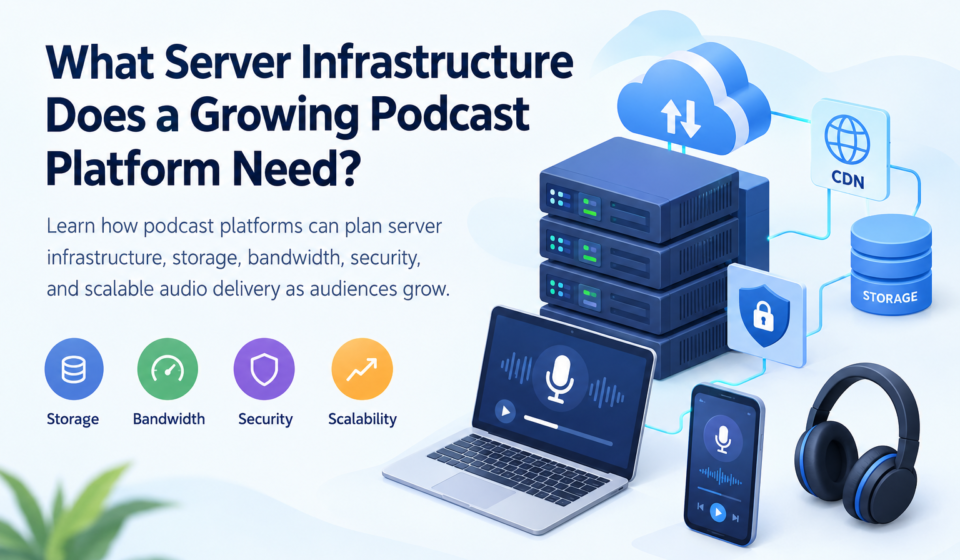

A podcast platform can attract thousands of listeners, but its technical infrastructure must keep pace with that growth. Slow episode downloads, buffering, and unreliable access can frustrate audiences and make it harder to deliver a consistent listening experience.
As a podcast platform expands, its requirements change. The audio library becomes larger, more listeners access episodes simultaneously, and the website or application must process more requests. A hosting environment that works well for a small project may eventually struggle with storage capacity, bandwidth consumption, or application performance.
Choosing the right server infrastructure for podcast platforms involves more than selecting a powerful server. Businesses need to consider how audio files are stored, how content reaches listeners, how application requests are processed, and how the entire system can scale as demand increases.
This guide explains the main infrastructure components a growing podcast platform needs, when dedicated servers make sense, how to estimate bandwidth and storage requirements, and which security and scalability factors businesses should evaluate before choosing a hosting solution.
Understanding the fundamentals of hosting can help businesses make better infrastructure decisions. Our complete guide to web hosting Explain How Hosting works, the main types of hosting, and the factors to consider when building a website.
Why Podcast Platforms Need Reliable Server Infrastructure
Podcast platforms have different workloads from websites that mainly publish text and images. They must store audio files, manage episode information, respond to playback and download requests, and support features such as search, user accounts, subscriptions, and analytics.
Each listener request consumes resources somewhere in the delivery system. When hundreds or thousands of users request the same popular episode, an inefficient setup may send unnecessary traffic to the origin server, increasing network usage and server load.
A reliable infrastructure plan helps a podcast business:
- Deliver audio files consistently to listeners.
- Manage growing media libraries without running out of storage.
- Handle increases in simultaneous requests.
- Protect application data and administrative access.
- Recover from hardware failures, accidental deletions, and other disruptions.
- Upgrade capacity as audience demand changes.
Reliability depends on the complete delivery system, not simply the server’s CPU or RAM. Network capacity, caching, software configuration, storage performance, monitoring, and recovery procedures all influence the result.
Understanding Server Infrastructure for Podcast Platforms
Server infrastructure refers to the computing resources, storage systems, networking services, and software configurations that allow a podcast platform to operate.
A typical architecture separates several responsibilities.
Application Server
The application server runs the website or platform software. It processes requests, manages user accounts, retrieves episode information, and communicates with the database.
Its CPU and memory requirements depend on the software, number of concurrent requests, and complexity of the application. A simple podcast website may need relatively modest resources, while a platform with subscriptions, personalized recommendations, and detailed analytics may need substantially more.
Database Server
The database stores structured information such as episode titles, publication dates, user profiles, categories, and subscription records.
Database performance depends on factors such as query efficiency, indexing, memory, storage latency, and concurrent access. Keeping database operations efficient can be just as important as upgrading the application server.
Audio Storage
Audio files can consume substantially more storage than ordinary website pages. A platform needs a reliable way to organize episode files, retain older content, and expand its library.
Object storage is one option for large media collections. It separates file storage from the computing resources used to run the website and can make it easier to expand capacity as the library grows.
Content Delivery Network (CDN)
A content delivery network distributes cached content through a network of servers closer to listeners. When configured correctly, a CDN can serve frequently requested audio files without sending every request back to the original storage location.
Cloudflare explains how CDN caching can reduce latency and origin-server load in its CDN reference architecture documentation.
For a growing podcast platform, separating application processing from audio delivery can provide more flexibility than trying to handle every workload on a single machine.
Key Infrastructure Requirements for Growing Podcast Platforms
A growing podcast business should evaluate several infrastructure components before choosing a hosting plan.
1. Sufficient Storage Capacity
Storage requirements depend on the number of episodes, average file size, audio quality, and retention policy.
Consider a hypothetical platform that publishes 20 episodes each month, with each episode averaging 60 MB. Its new episodes would consume approximately 1.2 GB of storage per month, or 14.4 GB per year, before backups, duplicate formats, artwork, and other files are included.
A larger library, multiple audio formats, or a high publishing frequency can increase this requirement significantly.
When planning storage, businesses should consider:
- Current audio library size.
- Expected monthly publishing volume.
- Average file size per episode.
- Backup and recovery requirements.
- Storage expansion costs.
- Access speed and retrieval requirements.
For large libraries, object storage may be more practical than storing every audio file on the same disk that runs the application. The appropriate option depends on budget, technical requirements, and expected traffic.
2. Adequate Bandwidth and Data Transfer
Bandwidth determines how much data a network connection can transfer over time. Data transfer refers to the actual volume of data delivered to listeners.
These concepts are related but not interchangeable. A server can have a high-capacity network connection yet still incur substantial data-transfer costs when millions of episodes are downloaded.
For example, consider a one-hour podcast episode encoded at 128 kilobits per second.
At that bitrate, the audio file would be approximately 57.6 MB using decimal units, before accounting for container overhead and other file details. If 10,000 listeners each download the complete episode once, total delivery would approach 576 GB.
This is an illustrative estimate, not a prediction of actual traffic. Real usage varies according to audio encoding, partial downloads, repeat listening, caching, and the number of listeners.
Podcast businesses should estimate monthly downloads, average file size, peak traffic, and any bandwidth limits or transfer charges in their hosting agreement. A CDN may also reduce the amount of repeated traffic reaching the origin server.
3. Appropriate CPU and RAM
CPU and RAM support application processing, database queries, background tasks, analytics, and other server operations.
However, audio delivery does not always require an especially powerful CPU. If pre-encoded audio files are delivered through object storage and a CDN, the application server may not need to process every audio request.
More processing power may be necessary when a platform performs audio transcoding, generates multiple file formats, processes analytics, or handles complex user requests.
The best approach is to measure actual resource utilization rather than selecting a server based on assumptions alone. CPU utilization, memory usage, response times, and concurrent requests can help identify when an upgrade is justified.
4. Reliable Network Connectivity
A server’s performance depends partly on its network connection and the quality of the route between the infrastructure and its listeners.
Businesses should review the hosting provider’s bandwidth allocation, transfer limits, network capacity, service-level commitments, and traffic policies.
They should also consider where their audience is located. A platform serving listeners across multiple countries may benefit from a CDN with suitable geographic coverage rather than relying entirely on one server location.
5. Scalability
Scalability means the infrastructure can accommodate increasing demand without requiring an unnecessarily disruptive redesign.
A scalable setup might allow a business to increase application-server resources, expand object storage, improve database capacity, or distribute audio delivery through additional CDN capacity.
The right approach depends on the workload. Some applications can scale vertically by upgrading one server, while others benefit from distributing work across multiple services.
Businesses should plan upgrades around measured demand and expected growth rather than purchasing the largest available server immediately.
How Dedicated Servers Support Podcast Platforms
Dedicated servers can be useful when a podcast platform requires consistent access to physical computing resources, greater configuration control, or specialized software.
A low-cost dedicated hosting solution provides access to a physical server allocated to one customer. Depending on the provider and plan, businesses can configure CPU, RAM, storage, operating systems, and other server settings to suit their workload.
Dedicated servers may be appropriate for platforms that:
- Run resource-intensive applications or databases.
- Process and convert large audio files.
- Need control over server-level configurations.
- Operate workloads that are difficult to accommodate in a shared environment.
- Require predictable access to dedicated physical resources.
However, a dedicated server is not automatically the best choice for every podcast business. It does not, by itself, guarantee faster playback, protection against every outage, or unlimited data transfer.
A single dedicated server can also become a single point of failure if the application and its data have no appropriate redundancy or recovery plan.
Before selecting a dedicated server, compare its processor, RAM, storage type and capacity, network allocation, backup options, support arrangements, and total cost.
For platforms with large audio libraries, combining a dedicated application server with separate object storage and CDN delivery may be more practical than hosting everything on one machine.
Choosing Between Shared Hosting, VPS, Dedicated Servers, and Cloud Storage
Different infrastructure options suit different stages of podcast growth.
| Infrastructure option | Best suited to | Main consideration |
|---|---|---|
| Shared hosting | Small podcast websites with modest traffic | Limited control and shared resources |
| VPS hosting | Growing websites and applications needing more control | Resources and capacity depend on the plan |
| Dedicated server | Resource-intensive workloads requiring dedicated hardware | Requires appropriate management, security, and recovery planning |
| Object storage with a CDN | Large audio libraries and geographically distributed listeners | Storage, delivery, and transfer costs must be evaluated together |
| Cloud-based application hosting | Applications with changing demand or a need for flexible scaling | Architecture and pricing can become complex |
These options are not necessarily mutually exclusive. A podcast platform could use a VPS or dedicated server for its application, a managed database for episode metadata, object storage for audio files, and a CDN for content delivery.
This separation allows each component to be scaled according to its own workload.
Businesses comparing hosting options should also review server operating system selection, particularly if they intend to manage a server directly. The operating system should be compatible with the application, administration tools, security requirements, and available technical expertise.
Smaller podcast websites may be able to start with shared hosting, while growing applications may benefit from the additional control of a VPS. Read our guide to shared hosting vs VPS hosting to understand their differences in resource allocation, management, and scalability.
How to Improve Audio Delivery and Server Performance
A larger server is not the only way to improve the listener experience. Several configuration and delivery choices can make infrastructure more efficient.
Use a CDN for Frequently Accessed Episodes
A CDN can cache eligible audio files at distributed locations. Subsequent requests may be served from a nearby cache instead of repeatedly retrieving the same file from the origin.
This can reduce origin traffic and improve delivery consistency for geographically dispersed audiences. The actual benefit depends on cache configuration, listener distribution, file popularity, and the delivery provider.
Podcast operators should verify that their caching rules are compatible with the platform’s access controls and content policies.
Optimize Audio Files
Audio encoding affects both file size and listening quality. Choosing an appropriate bitrate and format can reduce storage and transfer requirements without unnecessarily compromising the listening experience.
The platform should test the quality and compatibility of its chosen audio settings across supported devices and players.
Monitor Performance
Monitoring helps identify problems before they become persistent user-facing issues.
Useful metrics include:
- Application response time.
- HTTP error rates.
- CPU and memory utilization.
- Storage capacity and disk latency.
- Network throughput and transfer volume.
- Audio request failures and download completion rates.
If a platform experiences slow downloads, operators should determine whether the cause is the origin server, storage system, CDN configuration, application, or network path before purchasing additional hardware.
Plan for Traffic Spikes
New episode releases, guest appearances, media coverage, and promotions can produce sudden increases in demand.
Caching popular files, testing expected traffic levels, and setting resource alerts can help a platform prepare for these events. Platforms with larger audiences may also need load balancing or redundant application instances to reduce dependence on a single server.
For additional background, Amazon CloudFront’s documentation explains how a CDN retrieves and caches content to serve users.
Security, Backups, and Availability
Podcast platforms may store user accounts, subscription information, private episodes, and business data. Their infrastructure should protect both public content and restricted resources.
Important safeguards include:
- Keeping operating systems, applications, and dependencies updated.
- Using strong administrative authentication and least-privilege access.
- Configuring firewalls and restricting unnecessary network services.
- Using HTTPS to protect data in transit.
- Monitoring logs and suspicious activity.
- Maintaining separate backups of important application data and media.
- Testing recovery procedures periodically.
Backups deserve particular attention. A backup stored only on the same server may be lost if that server fails or is compromised. Separate storage and access controls can reduce this risk.
Availability also requires realistic planning. A dedicated server alone does not provide complete redundancy. Depending on business needs, a platform may require redundant application instances, replicated data, health checks, and documented recovery procedures.
For security guidance, the OWASP Cheat Sheet Series provides practical recommendations for securing web applications.
How to Choose the Right Hosting Solution for a Podcast Platform
The right hosting solution should match the platform’s current workload, expected growth, technical capabilities, and budget.
Before making a decision, evaluate the following factors.
Audience size and usage: Estimate monthly downloads, concurrent listeners, peak periods, and geographic distribution.
Audio library: Calculate current storage use and forecast how quickly new episodes will accumulate.
Application workload: Determine whether the platform primarily serves static audio files or performs resource-intensive processing, analytics, or other application tasks.
Delivery architecture: Consider whether audio should be delivered directly from the server or through object storage and a CDN.
Management requirements: Decide whether your team can administer a server securely or would benefit from managed hosting.
Total cost: Compare server rental, storage, data transfer, backups, software, management, and support costs together.
Growth and recovery: Check whether resources can be upgraded and whether the business has an acceptable recovery plan for outages or data loss.
A small podcast website may operate successfully on basic hosting, while a growing application may need a VPS, dedicated server, or cloud-based architecture. The decision should follow measured requirements rather than the assumption that the most powerful server is always the best investment.
Before selecting a hosting service, evaluate your expected traffic, storage needs, bandwidth usage, security requirements, and budget. Our guide on how to choose the right web hosting plan provides additional guidance for comparing hosting features and selecting a plan that fits your website’s needs.
Why Infrastructure Planning Matters for Podcast Growth
Podcast infrastructure should evolve as the audience and content library grow. Without planning, a business may encounter storage shortages, unexpected transfer charges, overloaded application servers, or recovery problems during an outage.
A useful starting point is to document the current workload, measure performance, estimate future storage and data transfer, and identify the components most likely to become bottlenecks.
From there, the business can improve its infrastructure in stages. It might begin by optimizing audio files and caching, then expand storage, upgrade application resources, or introduce redundant services as requirements increase.
This approach helps avoid unnecessary spending while preserving room for future expansion.
Frequently Asked Questions
What type of server is best for a growing podcast platform?
The best option depends on the platform’s workload. A VPS may be sufficient for a growing website, while a dedicated server can suit applications requiring dedicated physical resources or specialized configurations. Large audio libraries may benefit from object storage and CDN delivery alongside application hosting.
How much storage does a podcast platform need?
Storage depends on episode length, encoding bitrate, publishing frequency, retention, and backup requirements. Calculate the size of existing files, estimate future publishing volume, and allow additional capacity for operational needs.
Is shared hosting suitable for a podcast website?
Shared hosting can work for a small podcast website with modest traffic and limited processing requirements. As the application and audience grow, the available resources, configuration control, and transfer limits may become restrictive.
Does a dedicated server prevent audio buffering?
No. A dedicated server can provide dedicated computing resources, but buffering can also result from network congestion, slow storage, inefficient delivery, or a listener’s connection. Diagnosis and appropriate CDN or application configuration may be necessary.
Should podcast audio files be stored on the application server?
Not necessarily. Smaller projects may store audio on the same server, but larger platforms can separate application processing from media storage. Object storage combined with a CDN is one option for managing large libraries and delivering frequently accessed files.
How can a podcast platform prepare for traffic spikes?
Operators can cache popular episodes, monitor traffic, test application capacity, configure alerts, and use scalable or redundant services where needed. The appropriate preparation depends on expected demand and the consequences of an interruption.
Conclusion
Growing podcast platforms need infrastructure that can support expanding audio libraries, increasing listener traffic, reliable content delivery, and secure data management. Choosing the right setup requires evaluating storage, bandwidth, application resources, caching, monitoring, and recovery requirements together.
A dedicated server can provide useful control and dedicated physical resources, but it is only one part of a possible solution. For some businesses, combining application hosting with object storage and a CDN will provide a more flexible way to scale audio delivery.
If you are evaluating server hosting for a growing podcast platform, review the available configurations against your actual workload, expected growth, and management requirements. OnliveServer’s dedicated hosting options can be one solution to compare when dedicated physical resources and server-level control are important to your platform.